macOS
PocketPane
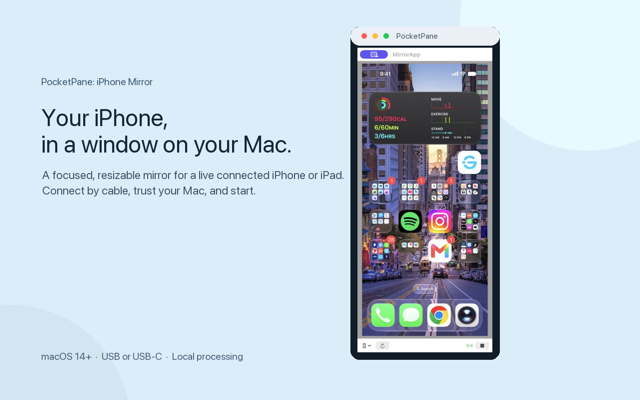
Your iPhone, in a window on your Mac.

- Your iPhone, in a window on your Mac
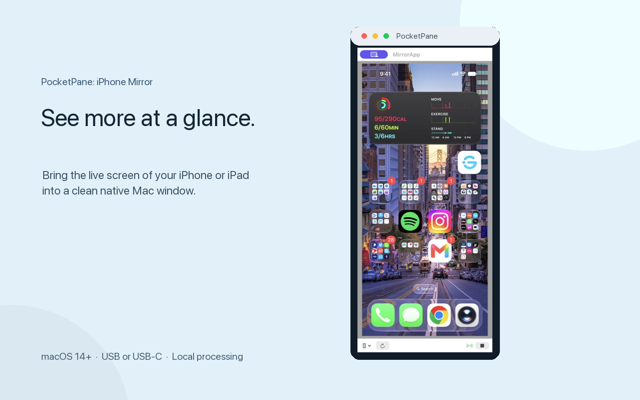
- See more at a glance
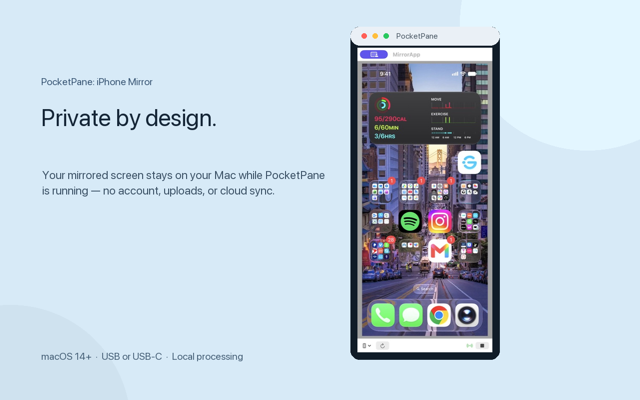
- Private by design
Overview
PocketPane brings your connected iPhone or iPad screen into a clean, resizable window on your Mac. Connect by USB or USB-C, unlock and trust your device, then start mirroring. The capture stays local on your Mac — no account, uploads, analytics, or cloud sync.
Features
Mirror over a cable
Connect an iPhone or iPad over USB or USB-C and bring its live screen to your Mac.
A window that fits
PocketPane sizes the window to match your device's screen proportions, then lets you resize it freely.
Local by design
Screen content is processed locally while the app is running. There is no account, upload, or cloud sync.
Native Mac experience
A focused macOS utility with compact controls, device selection, and a clean preview.
Built for iPhone and iPad
Use the same simple workflow with compatible iPhone and iPad devices.
No remote control
PocketPane mirrors what is on your device; it does not control the device for you.
Reviews
- 549
- 49
- 33
- 21
- 10
Exactly what I needed
Alex R. · San Francisco, CA
I demo my iPhone app designs on calls all the time. PocketPane gives me a clean resizable window without any complicated setup.
Sep 2026
Simpler than any alternative
Priya S.
Plug in, trust, mirror. That's it. No accounts, no cloud, no bloat. The window sizing is especially thoughtful.
Sep 2026
Great for presentations
Daniel K. · New York, NY
I use this to show my iPad screen during team meetings. It just works. A keyboard shortcut to pause would be the cherry on top.
Sep 2026
No nonsense mirroring
Emily T.
Finally a Mac utility that doesn't make me create an account or sit through a tutorial. Open, plug in, done.
Aug 2026
Local and private
Jordan L.
I love that everything stays on my Mac. The screen capture never leaves the machine, which matters for the work I do.
Aug 2026
Solid first release
Sam W.
Does exactly what it says on the tin. Works great with my iPhone and iPad. Looking forward to seeing what comes next.
Aug 2026
Perfect for mobile game streamers
Casey M. · Austin, TX
I mirror my iPhone to capture gameplay footage. The quality is crisp and the window resizes smoothly for different layouts.
Sep 2026
Changelog
Release notes — what shipped in each version.
Version 1.2
September 15, 2026- Added support for macOS 27
- Added support for macOS 14 Sonoma
Behind the scenes
- Thank you for supporting us.
Version 1.1
September 7, 2026- Help, FAQ, changelog, and feedback right inside the app
- Sleep detection — no more frozen picture when your device dozes off
- Pause the mirror without disconnecting, then resume instantly
- Keep on Top and window size presets in the appearance menu
- Clearer empty state when nothing is plugged in yet
- Screenshot confirmation, plus a hint if microphone access is denied
- Send feedback by email to support@snowstudios.app
- Smoother window resizing, easier FAQ taps, and assorted polish
Behind the scenes
- Thank you for supporting us.
Version 1.0
September 2, 2026- Initial release.
- Automatic window sizing based on connected device dimensions.
- Unrestricted manual window resizing.
FAQs
Frequently Asked Questions
More from Snow Studios




Get PocketPane today.
macOS